
STEARsoft
School
Teachers'
Electronic
Attendance
Register
software
Home page
Download
Tutorials
Support
Forum
STEARsoft
[Official website: www.stearsoft.co.uk]
Current cloud version: 7.7.0
Current iPhone/iPad/Watch version: 4.1.0
Current windows version: 6.1.0
|
|
|
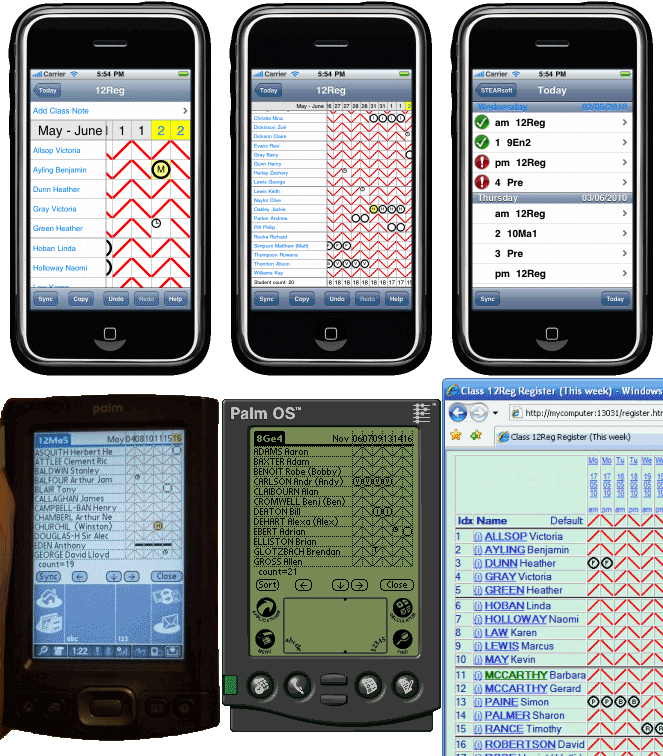
If you have an iPhone, iPod Touch, iPad or Apple Watch, the STEARsoft App is available to buy from the iTunes App store, or first look at some screenshots of the iPhone App. A STEARsoft Cloud Server is the recommended central product to use that joins up your data from multiple users/devices. There are tutorials as well as a user guide which help you get the most out of STEARsoft. |
The product
As a complete school attendance system, STEARsoft provides central easy deployment using secure web-based operation, automatic absence analysis and notification, and central summary data for legal returns. For ultimate mobility, STEARsoft can be deployed on iPad, iPod touch, iPhone and even has an Apple Watch component. STEARsoft can use your existing school database to dynamically import all teacher, student, class and timetable data using the standardised ODBC interface. Scaled pricing makes STEARsoft also accessible to smaller schools and even single teachers.
At the teacher level, STEARsoft provides an electronic version of a class attendance register. It also provides features for making notes and recording incidents as well as student attendance. Full functionality is obtained from the web-based component of this product, but the software is designed to work in conjunction with an iPhone, iPod touch or iPad for optimum performance.
Main features
STEARsoft Cloud Server features:
| Independent | STEARsoft is an independent school attendance system that runs alongside your existing school database. No need to change your existing database just to gain mobile electronic attendance functionality. |
| Easy to deploy | As a web-based system there is no installation required for teacher devices, and the Cloud Server is set up and technically administrated by STEARsoft. |
| Uses existing data | Import your existing data (class lists, timetables etc) dynamically using ODBC, or with the custom import wizard. |
| Familiar | STEARsoft generates accurate attendance sheets using timetable and term date information. Any teacher used to a paper attendance register will be immediately 'at home' with the traditional looking sheets. |
| Efficient for teachers | Mark the attendance register efficiently with single click and flood-fill features. See an organised list of unexplained absences at an instant. |
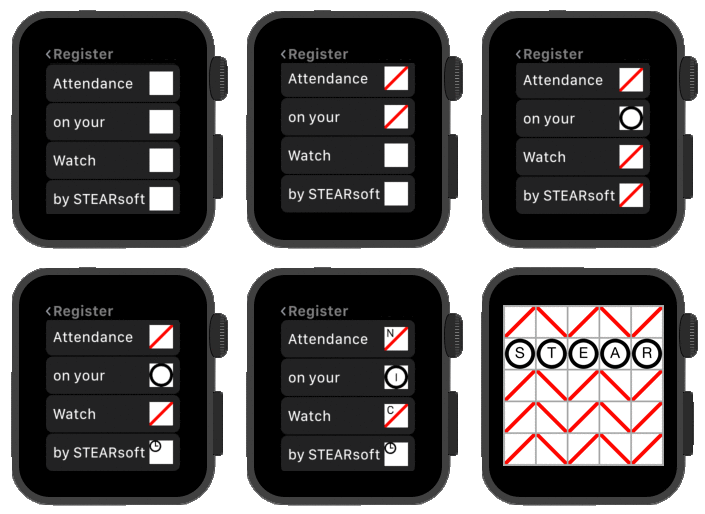
| Promotes mobility | Synchronise data with an iPhone, iPad or iPod touch for convenient portable access. STEARsoft even supports taking the register with your Apple Watch. Attendance can be recorded without WiFi, out on the playing field, down at the sports-centre, on a coach etc. Synchronise when network connectivity is restored. |
| Automatic analysis | STEARsoft automatically analyses student attendance in real time, alerting relevant teachers to any inconsistencies. These inconsistencies can be listed centrally too. |
| Neatly amend, annotate or code attendance entries with speed. | |
| Summary data | View class, yeargroup or school based summaries of registration data. Obtain data over any period for government returns. |
| Student messaging | An integrated messaging system less you send messages to student groups or individuals through the registers. |
| Today at a glance | View day-to-day schoolwide summary data (listing absent students). This can be printed for emergencies or referred to for quickly knowing who's not in school. |
| Monitor individuals | Assign and keep track of incidents relating to individual students with the integrated incident logging system. |
| Resilience | Already resilient being Cloud based, further resilience can be added with the Emergency data upload feature. The current absence list for today is periodically backed up to a separate cloud server for referral should any issue affect the 'live' Server. |
The above Cloud Server features allow quick production of blank school attendance registers for normal use, but also gives you an electronic system that looks just like a traditional register to allow you to move to a paper-free system. Text file outputs are available for safe permanent records suitable for court-room use should that be required in the future.
By linking to an iPod touch, iPhone or iPad, you can keep all of your data with you in a portable way. In addition to the classroom attendance and incident management features, the handheld component also:
- Uses birthday information to highlight a pupil's name in the register on their birthday for your attention.
- Continues to work without network connection, allowing use on the school field, in assembly or dining halls and during evacuations. Once in range, a single tap will synchronise all data.
By Teachers, for Teachers
This software has been inspired and driven by teacher request and need. It has been used on a day to day basis to prompt refinement, further development, and fixing of problems.
Pricing
Pricing is on a monthly basis to better fit budgets and allow a pay-as-you-go style of approach. The first two months of a Cloud Server subscription are free and you can cancel at any time. There is a non-refundable setup/installation fee but that is reasonable at half 'cost' price and means your inherrent 2 month trial is on a dedicated server setup for you with your customised options right from the start.
Register for your trial
Register for free. This gives you a Customer ID and password. Use your Customer ID and password to login to the customer area where you can order your Cloud Server and access technical support.
If you have already registered, but no longer have the email with your Customer ID and password, you can request a Customer ID reminder email.
Purchase Full License
To Obtain a full license you must:
- Register for a Customer ID (as above).
- Use your Customer ID and Password to Login to the customer area
- From there you can make an online payment to purchase a Full license.
Where to buy
STEARsoft Cloud Server is only sold directly from this website. The Legacy (pre Cloud-Server) Windows version of STEARsoft can also be downloaded from other sites, but registration and purchase of licenses is done through this website (https://www.stearsoft.co.uk). The STEARsoft iPhone App is only sold from the iTunes App store.
So what are you waiting for? Register then Login to order your own STEARsoft Cloud Server.
This is the official website for STEARsoft. STEARsoft also owns the following websites which redirect to this official website: stearsoft.com , stear-soft.com , stear-soft.co.uk , steersoft.co.uk 